Cannot install march updates of google messages and contacts

Hi there,

I’m using the latest Android version 16.2 on my Zirconia. It runs significantly better than the previous version 15. However, for the past few days, I’ve had two pending updates for “Google Messages” and “Contacts” that won’t install.

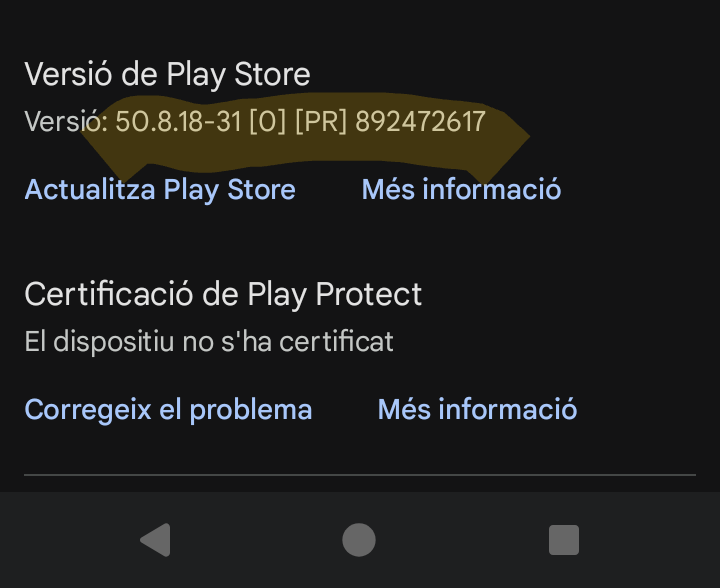
I’ve already tried manually installing the updates several times, restarting the phone, and clearing the Play Store and app cache – unfortunately, without success. I even uninstalled all updates for these apps, since the apps themselves can’t be uninstalled. That wasn’t a good idea, because the older updates can’t be restored. The Play Store only ever tries to install the latest update. :expressionless: Under Play Store > Profile > Settings > About, I see that the Play Store version is 50.7.24-31 and there’s no update available. The “Play Protect certification” shown there is also missing and can’t be repaired. As a last resort, I would reset my phone, but I definitely don’t want to do that.

Am I the only one experiencing these update problems, or is this a known issue?

best regards
Nico

Well, hi,
my Phone is showing a quite similar issue with the Installation of Google Calendar.
System version and Play Store version is the same as yours and i have the same issue with the Play Project Certification.

Hopefully somebody at teracube will take care of that.
Thank you.

We have had success with updating on test devices here.

Can you reset the Storage for Play Store and try again after a reboot?

Hello,
I just tried it and it actually worked! I wouldn’t have dared to delete the app’s storage contents, but of course, with the Play Store, not much can go wrong.

The Play Protect certification still isn’t there, but I think that’s okay.

Thanks a lot!
I wish you a happy Easter, if you celebrate it. :slight_smile:

1 Like

Hi,
hadn’t find the issue until today, after updating to Zirconia’s 16.2.1.
It happens for Contacts, Gmail, Calendar and Messages apps, other apps update flawlessly.
Tried deleting Play Store storage and rebooting, but not working.
Any suggestion will be appreciated.

As per this user - rolling back to a different version helped

2 Likes

It worked.
Thanks a lot!

Is there a specific version you rolled back to?

I just removed the updates on Settings\Apps.

Now It refused to update Gmail, and I saw this version of the Play Store was installed:

When I removed the Play Store updates again, it was possible then to update Gmail.
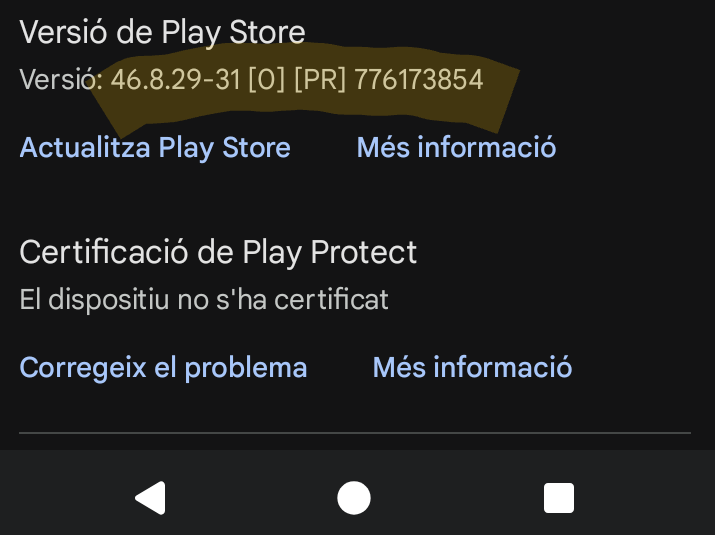
Now I have this version:

there is only one to choose from. Go to setting then Apps and google play store top right corner click on the 3 dots.

Just had to do it again gmail and google maps would not update so roled back google play store and then it updated. I think something is not right with that last up date.

1 Like

Hi,
I also had those four updates failed again bevore i updated to the march security updates. This update runs then smootly by the way. :slight_smile:
But the four failed updates where not installable again. Then i have deleted the playstore app’s storage contents again and restarted my phone. After that the updates where installable. Thats ok, but is there I chance to get the normal update behavior back? :slight_smile:

Thanks Nico